


Kids Puzzle Games 2-5 years
4.3102.00 Reviews
App Specs
- Version
- 1.125
- Updated On
- License
- Free
- Downloads
- 1,000,000+
- Developer
- Bimi Boo Kids Learning Games for Toddlers FZ-LLC
- Categories
- Educational
- Platform
- Android, iOS
Screenshots
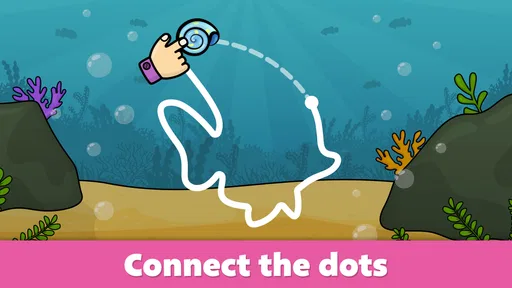

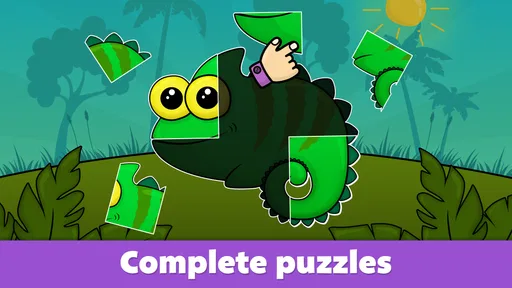


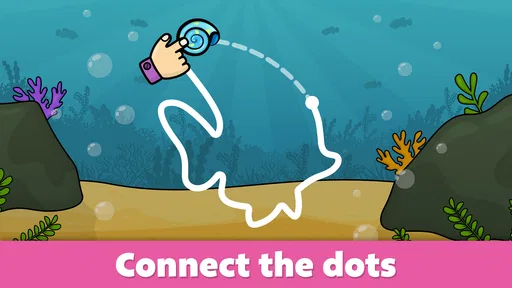

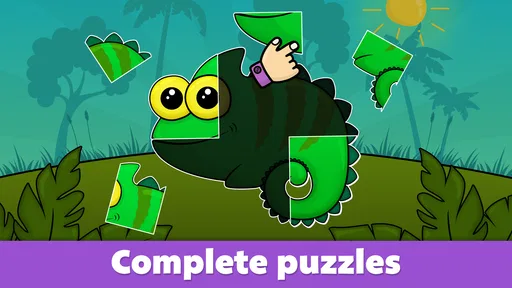
 Analysis by AppCompare
When one tablet or phone moves between adults and children, the best preschool game is not necessarily the one with the most activities. I look for something a young child can understand without constant help, while still being easy for an adult to supervise and put away. Kids Puzzle Games 2-5 years is built around early-learning play, especially puzzles and coloring, so it makes the most sense as a short, shared activity rather than an all-purpose replacement for books, toys, or time together.
A practical fit for shared-device moments
Picture a quiet stretch before dinner: a child wants to do something on the family tablet while an adult finishes a nearby task. A puzzle can give the child a simple goal—look at the picture, work out where a piece belongs, and see what happens when the image comes together. That kind of focused activity is easier to fit into a brief household break than a game that depends on long sessions or complicated rules.
The app’s central appeal is variety within a familiar preschool format. It is an educational game from Bimi Boo Kids Learning Games for Toddlers FZ-LLC, with a collection that includes puzzles and coloring activities. The developer describes its audience as toddlers and preschoolers, and the stated range of activities is substantial enough to offer options when a child is ready to move on from one type of play. I would still treat the number of activities as choice, not as a promise that every child will enjoy every one.
For a shared device, I’d set a simple routine before handing it over: choose a short activity together, agree that the tablet stays in the room, and put it away when the child is finished. Those are household habits rather than app controls, but they matter. They also help keep play from turning into an open-ended screen session when the adult is busy.
Setting sensible boundaries around play and spending
The game is free to download, but it includes in-app purchases, with listed items priced from $2.99 to $9.99. That is worth considering before a child gets access to the device. I recommend that the adult handle any purchase decisions and use the device’s own purchase safeguards; do not rely on a child to distinguish a game activity from a buying prompt. This is a more useful boundary than assuming that a preschool game makes every tap safe by default.
There is also a difference between letting a child explore and leaving the device unattended. If the device is used by several people, an adult can open the game and select an activity before passing it over, then keep the device within sight. I would not assume that the game offers separate child profiles, family accounts, or a particular screen-time system. A shared-device routine can provide that structure without pretending those features are built into the app.
One practical tip is to decide in advance whether the child is choosing freely or doing a specific activity with you. For independent play, offer two options rather than the whole menu; for a parent-child moment, ask the child to explain what they notice in the picture before placing a piece. This keeps the interaction purposeful and makes it easier to notice when the activity has become frustrating or repetitive.
Worth Reading Before You Choose

EA SPORTS FC Mobile 26 Is a Bigger Football Game, but It Takes Time

Flipboard Shows What News Apps Must Do Beyond the Feed

Switching to Android Auto Means Rethinking Your Driving Routine

Google Calendar Makes a Crowded Week Easier to Manage

Ludo King Makes the Most of the Minutes Between Plans

Baby Panda World Brings Quick Play to Modern Phones, but Its Game Library Feels Busy
What the puzzles can teach—and where an adult helps
Puzzles naturally invite children to compare shapes, notice gaps, and adjust a piece when it does not fit. Those small attempts are the useful part: a child can practice visual matching and hand-eye coordination without needing a lesson to feel like a lesson. Coloring offers a different pace, giving the child room to make choices rather than solve a single placement problem. Used together, these formats can suit different moods, though they do not replace physical puzzles, crayons, or the tactile experience of handling real objects.
Adults can make the play richer without taking over. Instead of pointing out the correct spot immediately, try asking what the piece shows or which part of the picture is still missing. If a child is stuck, a small hint can help them continue while preserving the satisfaction of solving it. For a younger toddler, the adult may need to stay close and guide the first steps; an older preschooler may be more comfortable exploring at their own pace.
This is where the age range needs a little judgment. Children develop at different speeds, and a game aimed at ages two to five will not feel equally easy or interesting to every child in that span. A toddler who is new to touchscreens may need help with basic taps and dragging, while a confident preschooler may want more challenge than simple picture-based activities provide. I would use the child’s response—not the age label alone—to decide whether a session is working.
How it compares with other early-learning choices
Compared with a single-purpose jigsaw app, this game’s mix of puzzle and coloring activities may be more useful when a child wants a change without switching apps. Compared with open-ended drawing tools, its puzzle tasks give play a clearer endpoint: there is a picture to complete. The trade-off is that a more structured digital activity offers less freedom than drawing on paper or inventing a puzzle with physical pieces.
It also occupies a different place from a broad preschool-learning app focused on many subjects. I would choose this one when the child is drawn to visual matching, simple puzzles, or coloring, not when the main goal is a guided lesson in a particular school subject. If a child is already bored by matching pictures, or needs more advanced challenges, a physical puzzle with adjustable difficulty or a different learning activity may be a better fit.
The useful way to approach the collection is to rotate activities rather than keep offering the same type every time. A child who loses interest in a puzzle may be willing to color; another may prefer to finish one picture and stop. That small choice helps an adult distinguish between a child who needs a different activity and one who has simply had enough screen time.
First Impressions: A Whirlwind of Colors and Creativity
Right off the bat, the app greets you with a vibrant splash of colors. The interface is super user-friendly, which is perfect because, let’s face it, we’re talking about toddlers and preschoolers here. They need things to be straightforward, and this app nails it. The main menu offers a variety of puzzle categories, from animals and vehicles to fruits and everyday objects. It’s like a mini world of discovery at their fingertips!
Diving into the Gameplay
Once you dive into a category, the fun really begins. The puzzles are designed to be simple yet engaging, which is ideal for kids in the 2-5 age range. The pieces are large and easy to handle, promoting fine motor skills in a playful way. What I love most is how interactive it is. As kids complete each puzzle, they’re rewarded with delightful animations and sounds, making the experience even more rewarding.
Educational Value: Learning in Disguise
While the fun factor is undeniable, the educational benefits are the real star here. Kids Puzzle Games 2-5 years subtly introduces children to problem-solving and critical thinking. Every time they fit a piece into the right spot, they’re learning spatial awareness and developing cognitive skills. Plus, the app throws in a few educational tidbits here and there, like the names of animals or fun facts about objects, which adds a nice educational touch.
Parental Controls: Safe and Sound
One of the things I always worry about with kids’ apps is the potential for accidental in-app purchases or exposure to ads. Thankfully, this app has a solid set of parental controls. You can rest easy knowing that your child won’t be clicking on anything they shouldn’t be. It’s a safe space where they can explore freely without any unintended purchases!
The Verdict: An Engaging Tool for Little Minds
If you’re looking for an app that combines fun with learning, Kids Puzzle Games 2-5 years might just be what you need. It keeps children entertained while sneakily teaching them valuable skills. The bright graphics, engaging gameplay, and educational content make it a winner in my book.
So, if you’re ready to give your kids a learning tool disguised as a game, check it out. It’s available on both Android and iOS, so you’re covered no matter what device you’re using. Happy puzzling!
Choosing it for your household
At an average rating of 4.3 from around 15,000 ratings, and with over a million installs, it has clearly found an audience among families looking for early-learning play. It is rated for Everyone, and the current version is 1.125, with a minimum operating-system requirement of 7.0. The game was released on May 25, 2016, and its long-running presence makes it a familiar kind of preschool app rather than a newly introduced format. These details can help you judge device compatibility and general reach, but they cannot tell you whether its activities will suit your particular child.
My recommendation is strongest for caregivers who want an approachable visual activity to share or offer for a short stretch, especially if a child enjoys animals, vehicles, and everyday picture themes. I would skip it if you want a fully physical activity, a curriculum-led learning plan, or a more demanding puzzle experience. The free download makes it easy to try, but the in-app purchase range is a reason to review the device’s purchase settings before handing it to a child.
For a household with siblings or several adults sharing one device, agree on a simple handoff: an adult starts the activity, stays available, and decides when play is done. That avoids confusion over whose turn it is and keeps purchasing decisions with the grown-ups. No app can coordinate family routines by itself, so a predictable rule—one activity, then return the device—does more than expecting a preschooler to manage boundaries alone.
Overall, I see this as a handy option for calm, supervised bursts of puzzle and coloring play, not a substitute for a toy shelf or a promise of independent learning. If the child responds well to visual matching, the mix can make a shared tablet feel purposeful; if they need richer challenge or hands-on exploration, I’d choose another activity. That is the balance I would keep in mind before making it part of the household routine.
Pros
- Engaging graphics for young children.
- Simple interface easy for kids to use.
- Enhances cognitive skills effectively.
- Wide variety of puzzles available.
- No in-app purchases or ads.
Cons
- Limited language options available.
- Some puzzles may be too easy.
- Requires internet for updates.
- No parental control settings.
- Limited customization options.
FAQs for Kids Puzzle Games 2-5 years
What age group is Kids Puzzle Games 2-5 years suitable for?
Kids Puzzle Games 2-5 years is specifically designed for young children between the ages of 2 to 5. The puzzles and activities are crafted to align with the developmental stages of toddlers and preschoolers, ensuring they are both fun and educational. This app helps in enhancing cognitive skills, hand-eye coordination, and problem-solving abilities.
Is Kids Puzzle Games 2-5 years educational?
Yes, Kids Puzzle Games 2-5 years is an educational app that focuses on developing various skills in young children. The puzzles are designed to improve memory, logical thinking, and spatial recognition. Additionally, the app introduces basic concepts such as numbers, shapes, and colors, making learning engaging and interactive for toddlers.
Does Kids Puzzle Games 2-5 years require internet access?
Kids Puzzle Games 2-5 years can be used offline, which makes it convenient for parents who want to keep their children engaged during travel or in areas with limited internet connectivity. However, certain features, updates, or additional content may require an internet connection, so occasional access might be necessary.
Are there any in-app purchases or ads in Kids Puzzle Games 2-5 years?
Kids Puzzle Games 2-5 years is designed to be child-friendly, and while it offers a free version with a selection of puzzles, there may be optional in-app purchases for additional content. It’s important for parents to check the settings to manage any purchases and ensure a safe, ad-free experience for their children.
How can I ensure my child’s safety while using Kids Puzzle Games 2-5 years?
To ensure your child’s safety, it's advisable to supervise their screen time and explore the app together initially. Check for any parental control settings within the app to restrict access to external links or purchases. Regularly reviewing the app’s privacy policy can also help you stay informed about data collection practices.


